Your FCA report is due. On Friday. You open the manual client spreadsheet you use to record the evidence.
There are wrong dates, including 01/07/3026 and 31/02/2026, missing entries and checks that have not been recorded.
Zoom into the row for Andrew & Kate Smith. The suitability-report signed date is blank. When was it signed?
You search the client files, through four folders, until the last folder opens and you find the signed suitability report.
The report opens beside the spreadsheet. The report names Andrew & Emma Smith; the spreadsheet names Andrew & Kate Smith. The report is signed, but it belongs to the wrong Andrew Smith.
There are two Andrew Smiths. And that is one row. There are 100 more rows to check.
Have you ever felt that pain? Amaea was built to solve exactly that, and more.
In Amaea, Andrew & Kate Smith are matched to client reference CL-0142. Their own suitability report is signed on 01/07/2026, with the source document linked to the record. The correct client, signed date and evidence are together. Your peace of mind.
Black expands from a single point.FRIDAY IS COMING.
Your FCA report is due. On Friday.
The black screen collapses into a magnifying glass.
You open the spreadsheet.
Wrong dates. Missing entries. The evidence is in here somewhere.
Screenshots show the current app with fictional records. Example walkthroughs are available below.
01 /
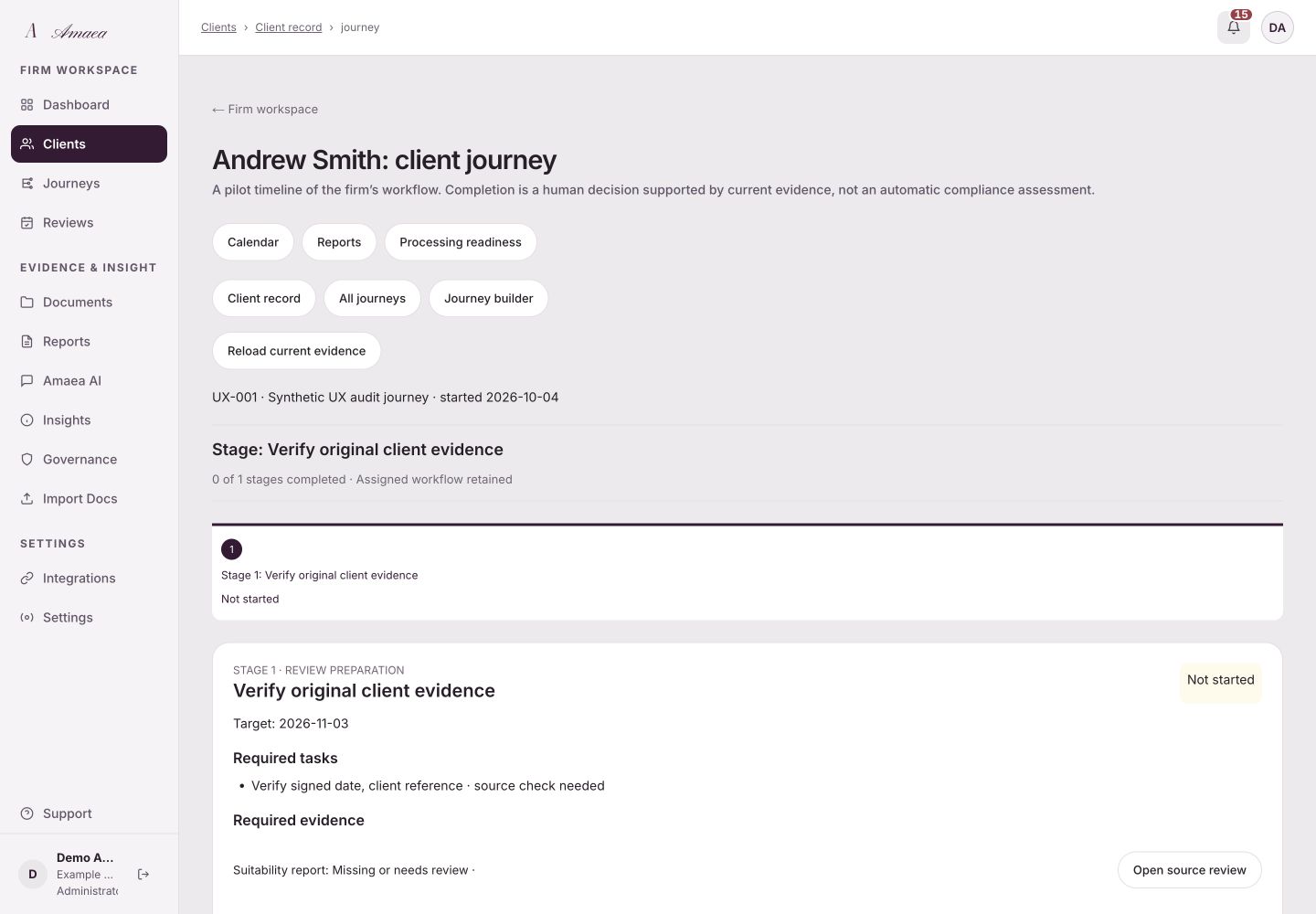
See every client's journey
Start with each piece of work you do for your client. Amaea brings documents, reviews and recorded evidence into one client journey. See outstanding work, follow the source and record your team’s judgement, with regulatory references for qualified review.
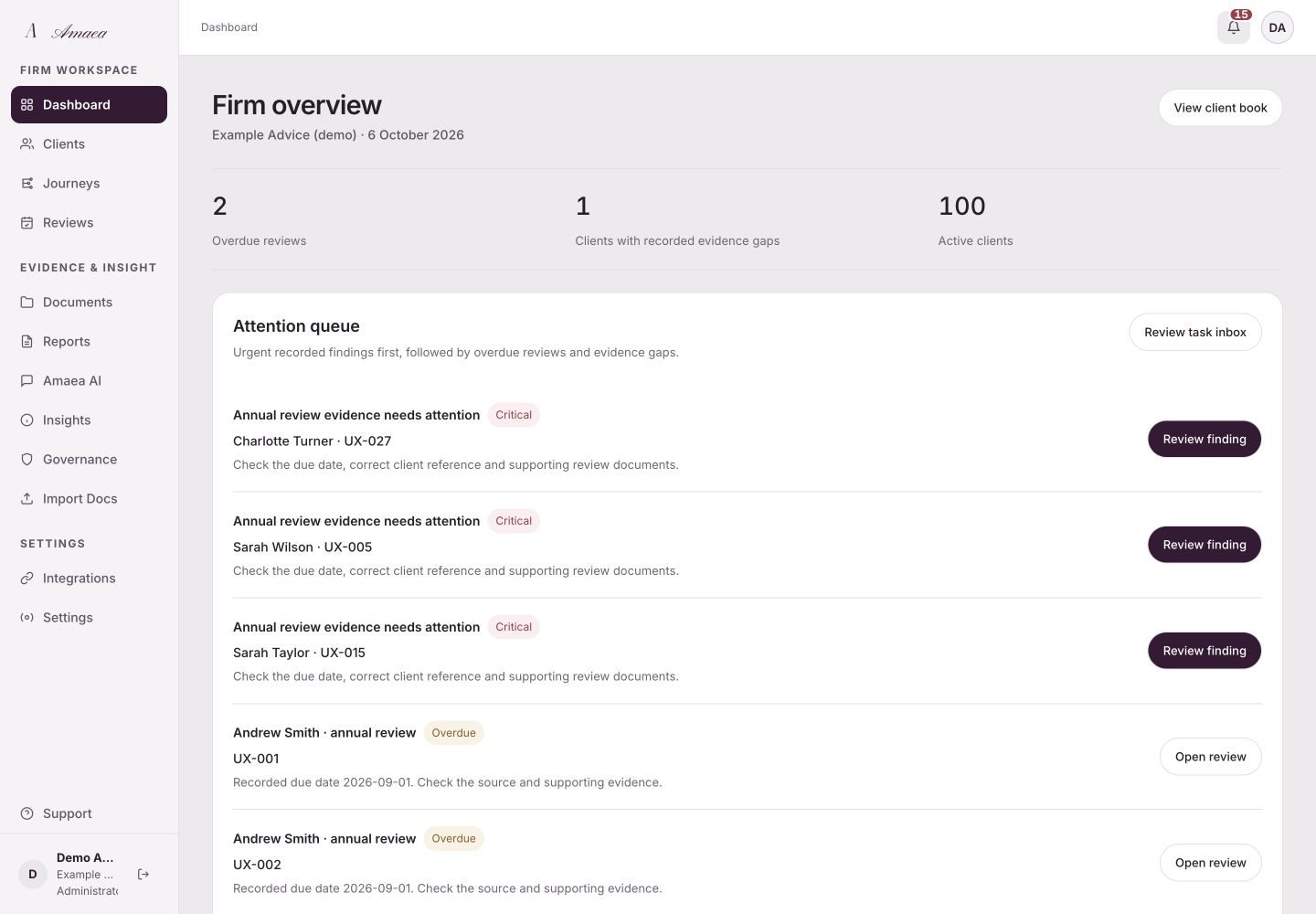
Now zoom out. See your firm’s recorded health score, overdue reviews, document gaps and vulnerability indicators in one place. Open the supporting records and work through the attention queue. The score measures evidence recorded in Amaea; your team remains responsible for checking its completeness.
View full screenFirm overview · attention queue and recorded totals
03 /
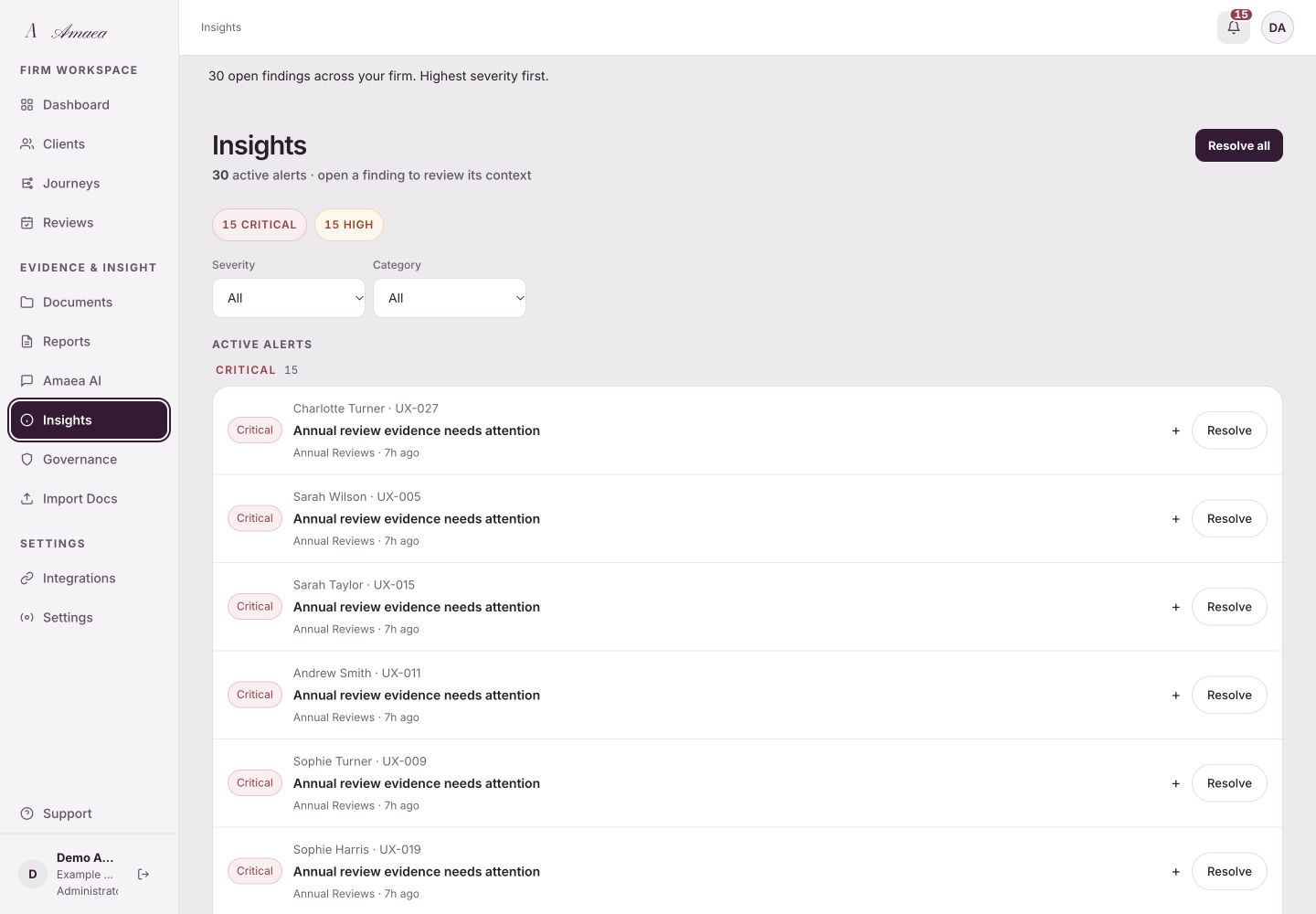
Know exactly what to fix first
Amaea groups recorded findings by severity and names the client behind each one. Follow the evidence, check any regulatory reference and record how the issue was addressed. Critical and high findings come first; a finding is a prompt for qualified review, rather than a determination of a breach.
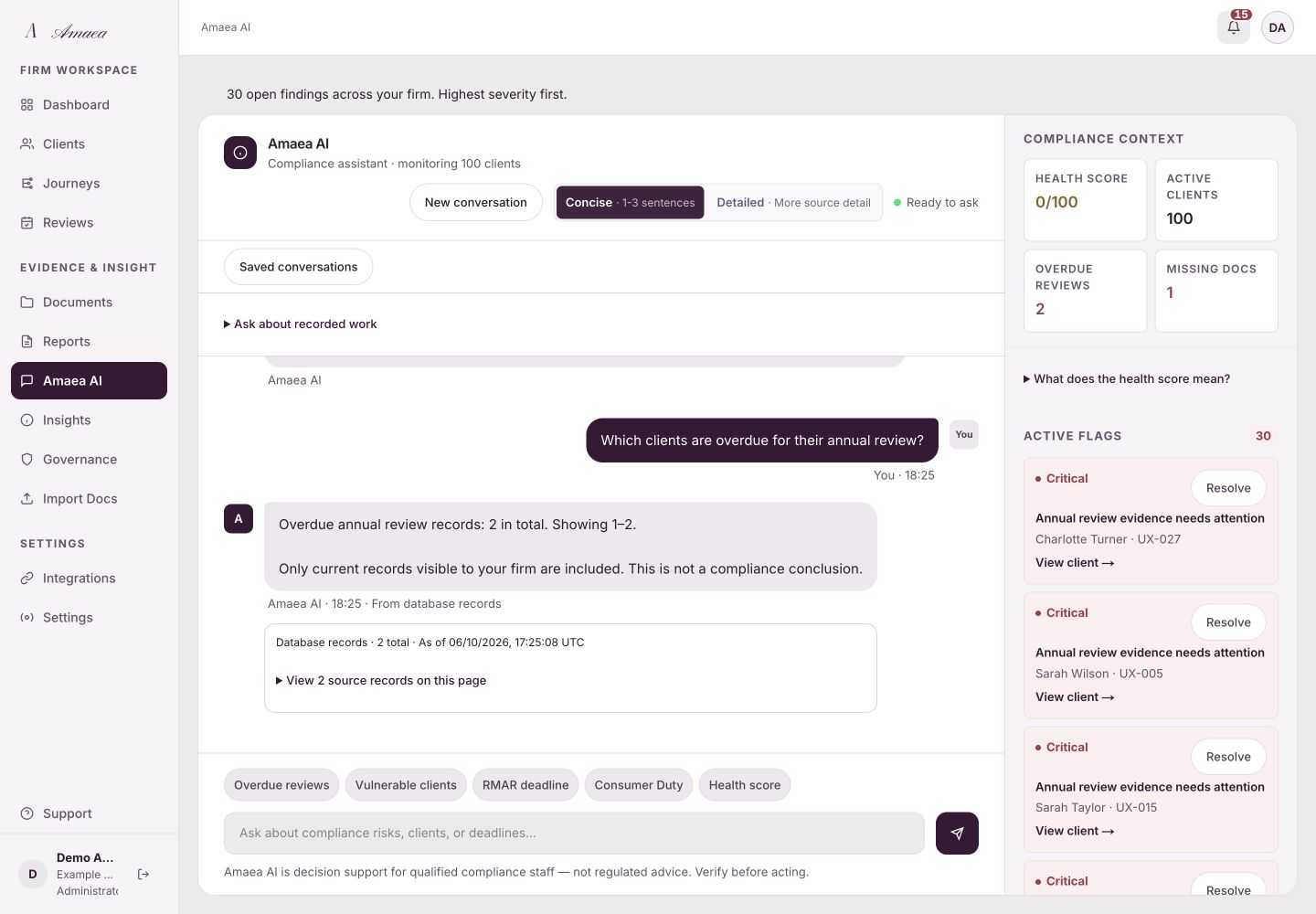
Ask plain-English questions about recorded clients, reviews, document gaps and your health score. Supported records questions return current totals and source links; regulatory questions use selected evidence and show limitations. Amaea asks for clarification when it cannot identify the records you mean, and your team reviews any compliance conclusion.
Amaea AI is decision support for qualified compliance staff, not regulated advice. Verify before acting.
Start with Sarah Wilson’s overdue review, then Oliver Bennett’s missing agreement. Check the supporting evidence and record your judgement.
Choose a question to explore Amaea AI.
Amaea AI · current records and visible source scope
05 /
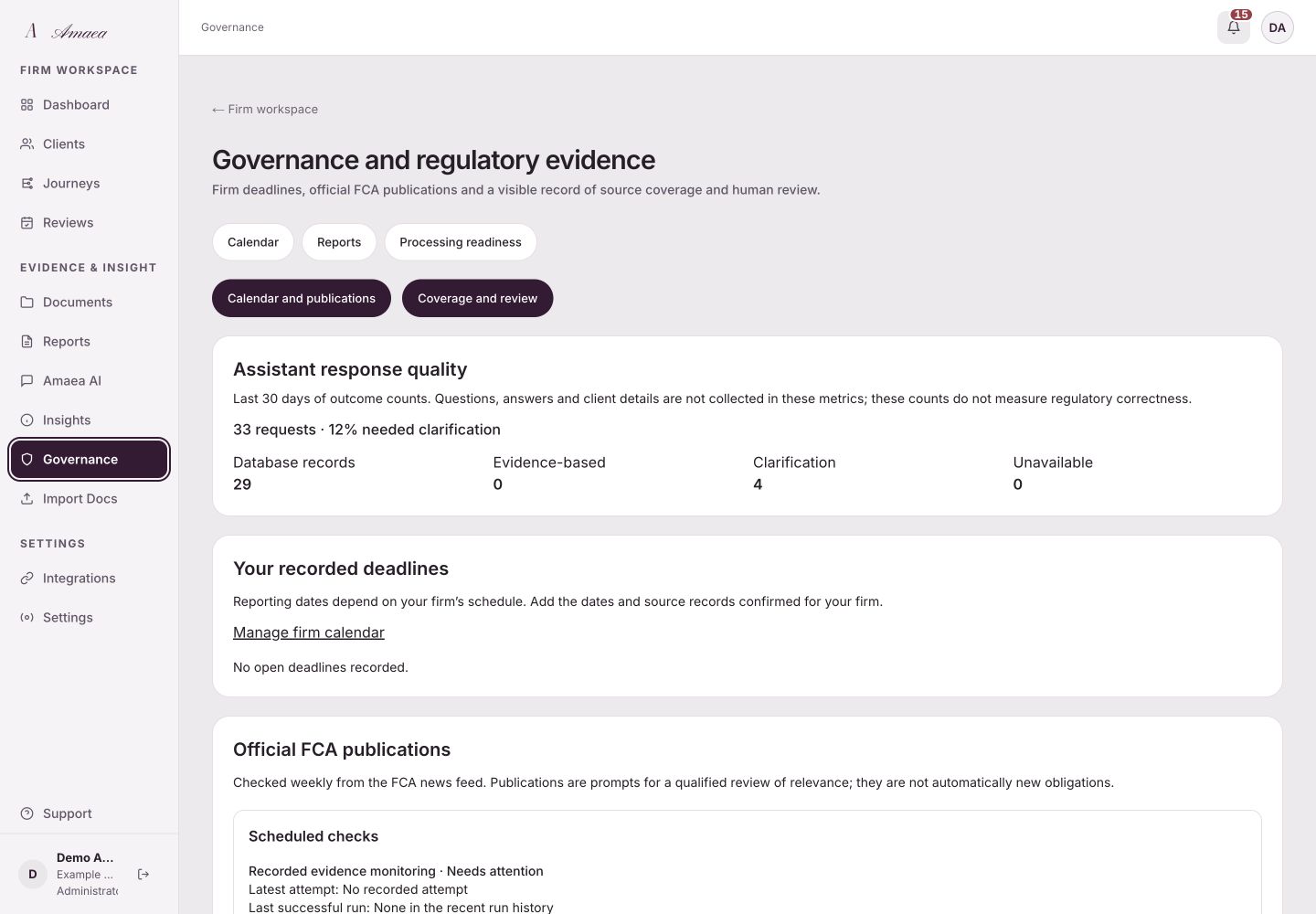
Keep track of FCA publications
Amaea checks the FCA publication feed weekly and records the latest successful check. Review publications alongside your firm’s confirmed calendar dates. The feed helps your team assess changes; it does not guarantee complete coverage or decide which obligations apply to your firm.
Dear CEO letters · policy statements · thematic reviews
Weekly monitoring preview
Regulatory context, ready for a qualified reviewer.
Governance · deadlines, publications and feed status
06 /
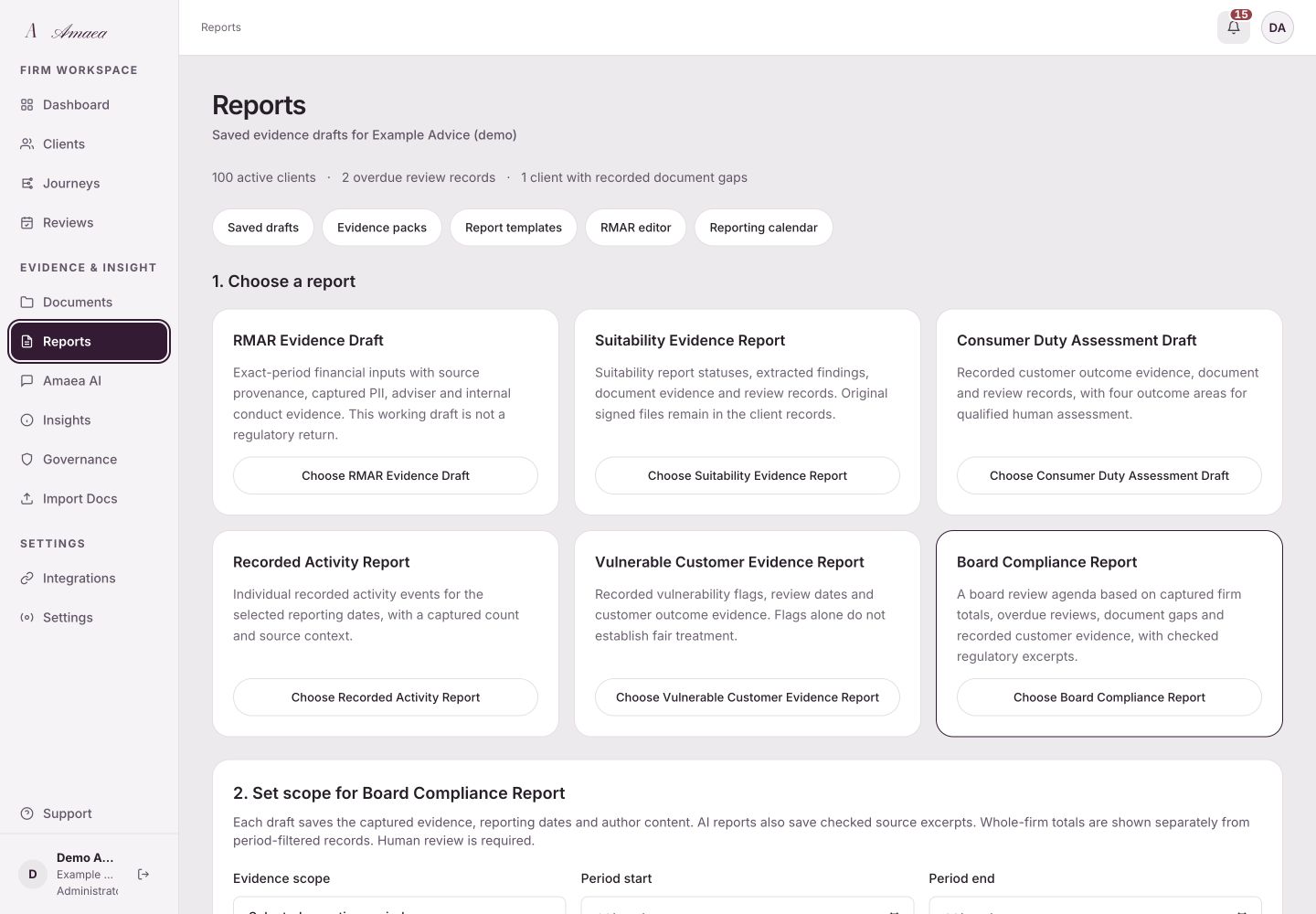
Your reports, drafted in one click
Prepare Consumer Duty, vulnerability and board-report drafts from recorded evidence and your notes, then review and sign off the saved version. RMAR tools produce working drafts for a qualified reviewer to check; calculations and submission formats need acceptance before filing. Your team controls the evidence and final judgement.
Draft for review · your reviewer retains sign-off.
Reports · scope, evidence drafts and human review
07 /
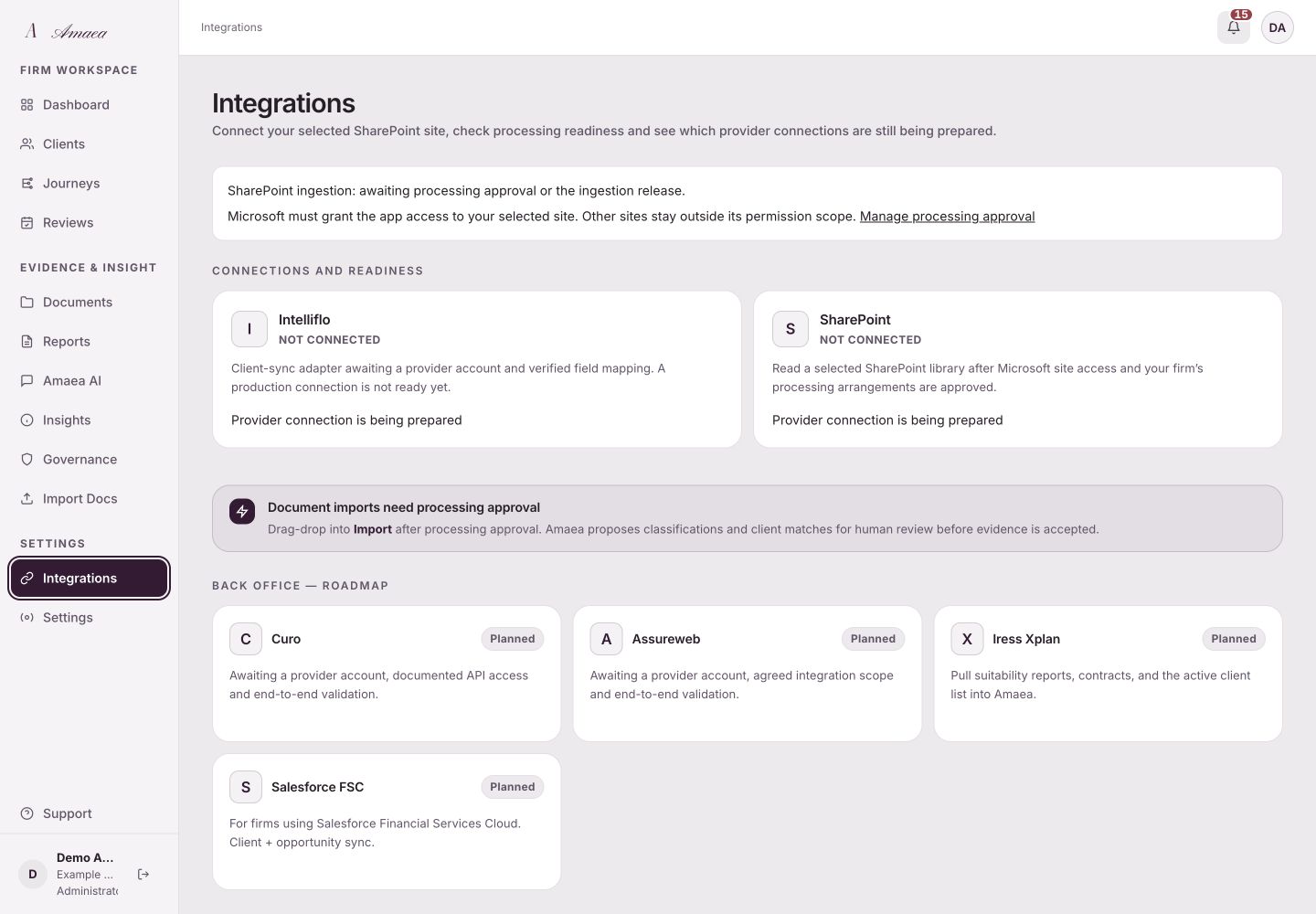
It runs on what you already use
Start with verified client and annual-review CSV imports. SharePoint connection setup is available for agreed onboarding, with document processing subject to approved permissions and data-handling arrangements. Intelliflo access and live integration acceptance are still being arranged. The document workflow supports 19 configured types; extraction and client matches remain drafts for your team to verify.